Indie founders
A founder describes a focused product such as a habit tracker, local marketplace, or personal finance tool.
Rork can shape the idea into a testable mobile experience before a larger engineering commitment.
rork app builderRork explained
what is rork ai? It is a prompt-led app creation tool that helps turn a product idea into a working mobile app concept, interface, and connected workflow. Rork gives people a faster way to move from plain-language instructions to something they can test and refine.

Built for builders
Rork is useful when the first challenge is turning a rough idea into a tangible app. These examples show where its workflow can shorten the distance between planning and testing.
A founder describes a focused product such as a habit tracker, local marketplace, or personal finance tool.
Rork can shape the idea into a testable mobile experience before a larger engineering commitment.
rork app builderA team needs a simple customer or staff app without starting with a long technical specification.
Rork helps organize the core screens and flows around a specific operational need.
rork examplesA designer wants to explore navigation, content hierarchy, and interaction ideas in a real app-shaped format.
Rork provides a concrete prototype to review, revise, and discuss with collaborators.
rork webDevelopers want to validate a product direction before connecting production data and services.
Rork can serve as an early surface for testing assumptions, while the team decides what belongs in the final architecture.
rork backendThe workflow
The Rork process is conversational, iterative, and best suited to focused app ideas. A clear first prompt gives the system useful direction; short follow-up prompts improve the result.
Start with the audience, main job, important screens, and visual direction. Specific prompts give Rork better constraints than a broad request such as “make an app.”
Inspect the generated structure as an app experience, then identify what feels unclear, missing, or out of order. Treat the first pass as a working draft, not a finished release.
Ask for one meaningful change at a time, such as a simpler onboarding flow, a new field, or a clearer empty state. Repeated review turns a rough idea into a more coherent prototype.
Continue exploring
The best next page depends on the question behind your project. These related guides cover access, platforms, and practical use.
From idea to draft
The difference is not magic automation; it is the ability to move quickly from an abstract description to a visible product surface that can be evaluated.
 Plain-language idea
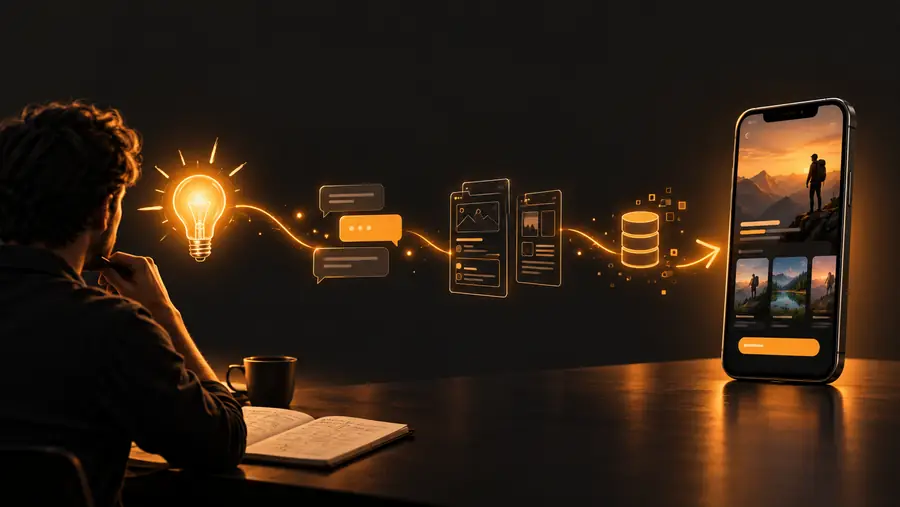 Testable app draft
Set expectations
Rork can accelerate exploration, but it does not remove the need for product judgment, testing, or technical ownership. These limits matter before treating a draft as a finished product.
A prompt may produce screens, but it cannot decide whether the feature solves a real user problem or belongs in the first release.
Workaround
Define the target user, success signal, and smallest useful workflow before refining the interface.
A working-looking app concept still needs review for security, data handling, reliability, accessibility, and platform requirements.
Workaround
Have a technical owner inspect architecture, permissions, integrations, and release behavior before launch.
Rork only has the context you provide. Unstated rules about roles, edge cases, offline behavior, or business logic may be missed.
Workaround
Write acceptance criteria and test unusual states, not only the happy path.
Useful results depend on reviewing the output and giving precise follow-up instructions instead of accepting the first version unchanged.
Workaround
Change one area at a time and keep a short list of decisions, problems, and next prompts.
Start with a clear idea
Rork is easiest to understand by using it on a specific problem. Bring a small, concrete app idea, describe the people who will use it, and evaluate the first result as a draft you can improve.
Try Rork nowCommon questions
Rork is a prompt-led tool for shaping app ideas into visible, testable mobile experiences. You describe what the app should do, review the result, and refine it with additional instructions.
Rork is best understood as an app creation environment that helps with the early build and iteration process. The exact production capabilities, integrations, and release requirements should be checked against the needs of the project.
Rork can be useful for founders, designers, small businesses, and technical teams exploring an app direction. It is especially helpful when a team needs a concrete prototype before making larger product or engineering decisions.
A Rork-generated result should not automatically be treated as production-ready. Teams still need to validate requirements, review data and security decisions, test edge cases, and confirm platform and release behavior.
Begin with one narrow workflow and name the intended users, key screens, and important rules. Review the first result carefully, then use short, specific follow-up prompts to improve one part at a time.