
Build a dental practice app around the way your clinic already works

A dental practice app should fit the rhythm of your clinic, not force receptionists, clinicians, and patients into a generic process. Use Rork to describe the workflow you want, then shape the experience around real appointments, treatment plans, and follow-up.

Free to start · no signup
Rork workspace for planning a dental practice app

the audience's existing pipeline

Dental teams already coordinate a detailed chain of work. The strongest Rork brief starts by mapping that chain instead of treating the clinic like a generic service business.

where we slot in

Rork is most useful between process discovery and implementation: it turns a clear clinic brief into a testable app concept that the team can review together.

  1. 1

    Map the patient journey

    Describe how a patient finds the practice, requests an appointment, completes intake, receives treatment, and gets reminded about the next action.

  2. 2

    Separate staff and patient views

    Ask Rork to distinguish reception tasks, clinician information, and patient-facing actions so each role sees only what helps them move work forward.

  3. 3

    Review and refine the prototype

    Test the flow with realistic appointment and follow-up scenarios, then revise labels, screens, permissions, and handoffs before expanding the scope.

before/after

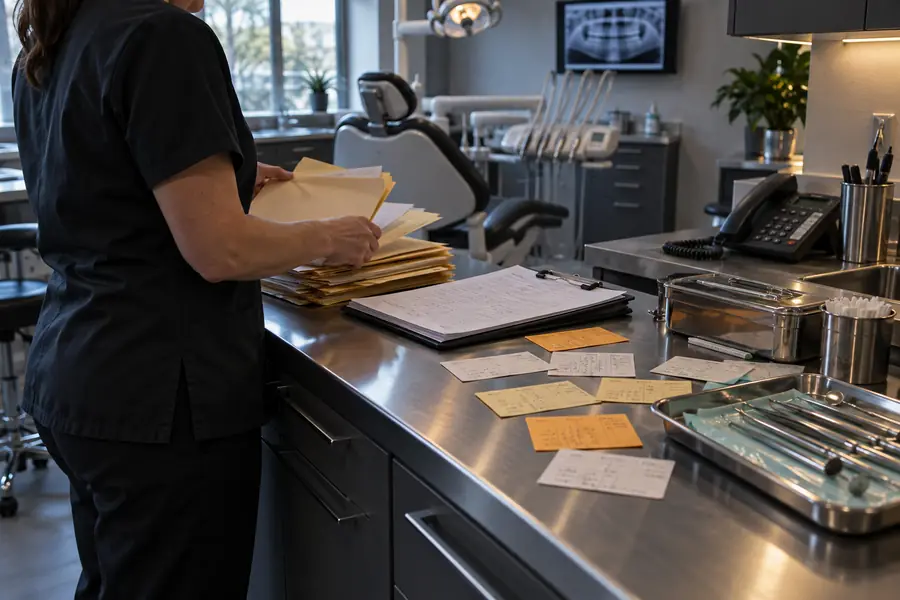
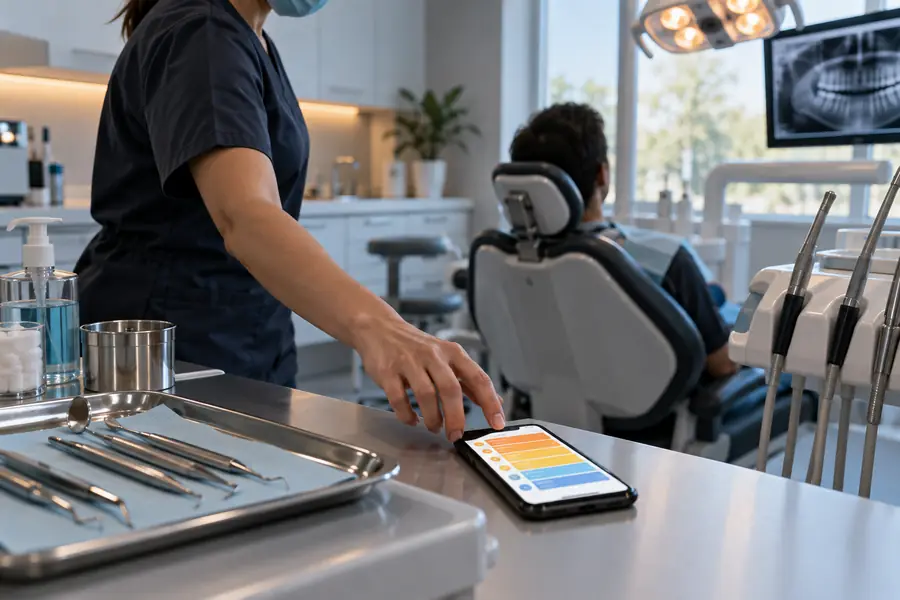
The change is not simply from paper to software. It is from disconnected moments to a shared flow that makes the next responsibility visible.

Patient and staff experience to plan for
iOS
Mobile access to consider across the team
Android
Browser-based review and administration surface
Web

deliverable spec

A useful Rork brief is specific about the workflow while staying honest about what a generated app concept does not replace.

Not a clinical decision-maker

Rork can organize notes, forms, reminders, and status changes, but it cannot diagnose a patient or recommend treatment.

Workaround

Keep clinical judgment with qualified practitioners and define informational screens separately from care decisions.
Not automatically compliant

A prototype does not by itself establish the privacy, retention, consent, access-control, or audit practices a dental clinic may require.

Workaround

Have the practice, legal advisers, and technical reviewers specify safeguards before using real patient information.

Not a replacement for practice software

An app concept may improve a focused workflow, but it may not replace scheduling, billing, imaging, records, or insurance systems.

Workaround

Choose one narrow handoff first and document which existing systems remain the source of truth.

Not finished after one prompt

The first Rork result is a starting point. Real staff feedback will reveal missing states, exceptions, permissions, and wording.

Workaround

Run short review cycles with reception, clinicians, and administrators using realistic scenarios.

before/after

Scattered clinic workflow
Focused Rork app concept

Appointment request

Scattered clinic workflow

Messages, calls, and forms may arrive through separate channels.

Focused Rork app concept

One defined request flow with clear status and next action.

Patient intake

Scattered clinic workflow

Staff may re-enter information or chase missing details.

Focused Rork app concept

A structured intake step can surface required fields before review.

Treatment follow-up

Scattered clinic workflow

Instructions and reminders depend on individual habits.

Focused Rork app concept

A planned follow-up sequence gives staff and patients a shared reference.

Internal handoff

Scattered clinic workflow

Reception and clinical teams may rely on verbal updates.

Focused Rork app concept

Role-based tasks and status labels make ownership easier to see.

Data boundaries

Scattered clinic workflow

Existing systems and informal notes can blur where information belongs.

Focused Rork app concept

The brief can define what the app stores, displays, or leaves elsewhere.

Exception handling

Scattered clinic workflow

Cancellations, urgent requests, and incomplete forms are handled ad hoc.

Focused Rork app concept

The prototype can expose exception states for the team to review.

Dental practice workflow before app planning Before: disconnected handoffs
Dental practice workflow after app planning After: one reviewed flow
Use the pair as a planning contrast: the value is in clarifying ownership, states, and next steps before the clinic commits to a larger build.

Turn your clinic workflow into a clearer app brief

Give Rork the real sequence behind your practice: appointment requests, intake, treatment communication, reminders, and staff handoffs. Start with one workflow, review the generated concept with the people who use it, and keep sensitive patient data out of early experiments.

Generate clinic app
  • Start with one patient or staff journey
  • Separate prototype data from real records
  • Review every exception with the practice team

scenario FAQ

These answers cover the practical questions a dental team should resolve before asking Rork to shape a clinic app.

Rork can help turn a dental practice workflow into an app concept and an initial implementation direction. The result still needs review for clinical responsibility, privacy, integrations, permissions, and the specific needs of the practice.

Start with one workflow, such as appointment requests, intake, treatment reminders, or staff follow-up. Name the users, the information each role needs, the status changes, and what should happen when a patient cancels or a form is incomplete.

It should not be assumed to replace scheduling, billing, records, imaging, or insurance systems. A safer first step is to define a focused experience that complements the existing system and makes one difficult handoff easier to manage.

Do not place identifiable patient information into an early prototype unless the relevant security, privacy, retention, access, and compliance requirements have been reviewed. Use fictional or de-identified examples while the workflow is being shaped.

You can describe separate roles and permissions in the brief, then ask Rork to reflect those differences in the proposed screens and actions. The practice should test each role against real scenarios before relying on the design or connecting live data.

Start creating
Start creating